



2. In the "Domains" section, click on "Redirects" Icon.

3. Scroll down to the end of page and under "Current Redirects" locate the domain and click on the "remove" icon.
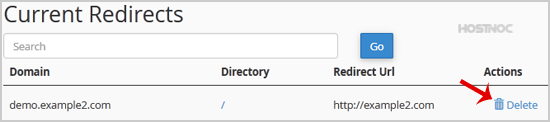
4. For confirmation click on the "Remove Redirect" button once more.

60% Off Summer Sale. Host your website with HOSTNOC.
Get Offer